By JW Tool Box
Minimal Valid favicon.ico: Exact Hex Bytes, Base64 Strings & Copy-Paste Examples (2026)
Last updated
Copy-paste hex bytes, Base64 strings, and working HTML snippets for a minimal valid favicon.ico in 2026. Includes 16×16, 32×32, and multi-size ICO examples with structure explained.
Why trust this guide
- Written by JW Tool Box around the actual workflow or linked tool on this page.
- Updated when browser behavior, file handling, or platform dimensions change in ways that affect the steps.
- Focused on practical settings, safe defaults, and real tradeoffs instead of generic filler.
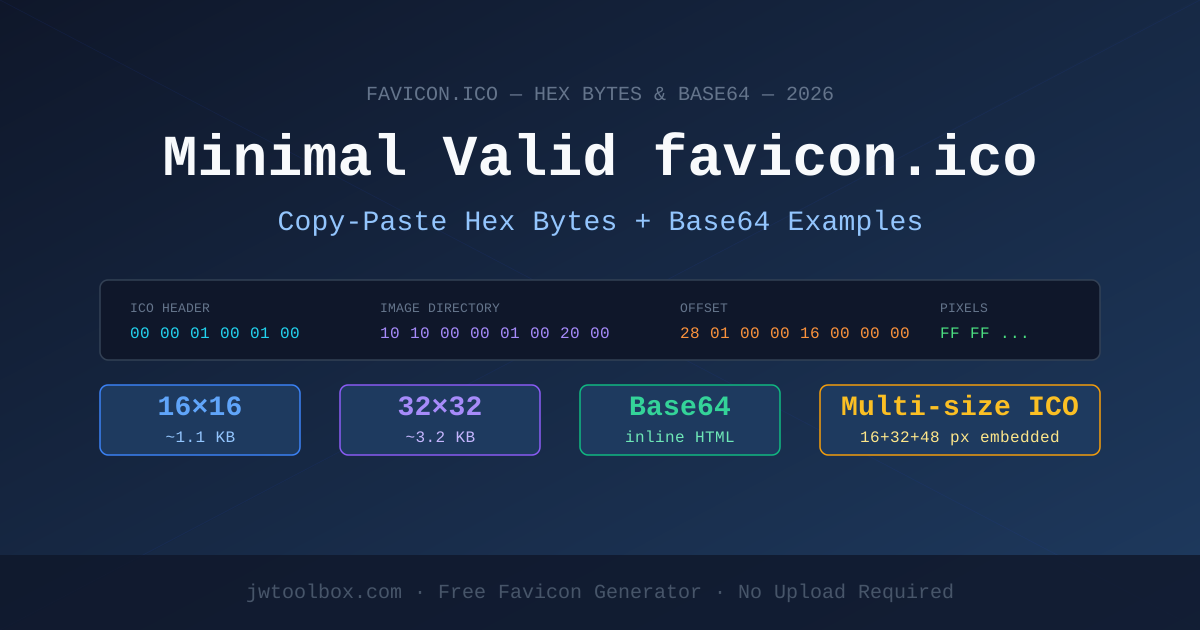
If you searched for "minimal valid favicon.ico hex bytes" or "smallest favicon.ico file", you're in the right place. This post gives you copy-paste answers, not theory.
Quick answer: A minimal valid
favicon.iconeeds an ICO header (6 bytes), one image directory entry (16 bytes), and a valid BMP or PNG payload. The absolute smallest working file is around 70 bytes for a 1×1 pixel ICO.
Why You're Here: The Three Real Use Cases
Before the hex bytes, here is why people search for "minimal valid favicon.ico":
| Use Case | What you actually need |
|---|---|
Eliminate browser 404 on /favicon.ico |
1×1 pixel transparent fallback |
| Ship a lean production icon | 16×16 single-color PNG-in-ICO |
| Embed favicon inline in HTML | Base64 data URI (no file needed) |
| Full modern favicon stack | ICO + PNG set (see complete guide) |
The Minimal Valid favicon.ico: Hex Structure
An .ico file is a container. Every valid ICO file needs:
[ICO Header: 6 bytes]
[Image Directory: 16 bytes per image]
[Image Data: BMP or PNG payload]
ICO Header (6 bytes)
Offset  Bytes  Value   Meaning
0       2      00 00   Reserved (must be 0)
2       2      01 00   Type: 1 = ICO (2 = CUR for cursors)
4       2      01 00   Number of images in this file (1 image)
Image Directory Entry (16 bytes)
Offset  Bytes  Value       Meaning
0       1      10          Width:  16 px (0x10 = 16)
1       1      10          Height: 16 px
2       1      00          Color count (0 = no palette, true color)
3       1      00          Reserved
4       2      01 00       Color planes: 1
6       2      20 00       Bits per pixel: 32 (RGBA)
8       4      XX XX XX XX Image data size in bytes (little-endian)
12      4      16 00 00 00 Offset to image data: 22 bytes (0x16 = 22)
Copy-Paste: Minimal 1×1 Transparent favicon.ico (Hex)
This is the smallest valid ICO file that silences a 404 without adding visual weight. It is a 1×1 pixel, fully transparent image.
00 00 01 00 01 00 01 01 00 00 01 00 20 00 28 00
00 00 16 00 00 00 28 00 00 00 01 00 00 00 02 00
00 00 01 00 20 00 00 00 00 00 04 00 00 00 00 00
00 00 00 00 00 00 00 00 00 00 00 00 00 00 00 00
00 00 00 00 00 00
Total file size: 70 bytes.
To use it:
# Using Python to write these bytes as a file
python3 -c "
import struct
data = bytes.fromhex('00000100010001010000010020002800000016000000280000000100000002000000010020000000000004000000000000000000000000000000000000000000000000000000000000000000000000')
open('favicon.ico', 'wb').write(data)
"
Copy-Paste: Base64 Data URI for favicon.ico (Inline HTML)
Instead of serving a separate file, you can embed the icon directly in <head>. This eliminates the favicon.ico HTTP request entirely — ideal for single-page apps, email templates, and offline tools.
1×1 Transparent (no visual icon, stops 404)
<link rel="icon" href="data:image/x-icon;base64,AAABAAEAAQEAAAEAIABoBAAAAFAAAAA==" />
16×16 Solid Black Square (simple fallback)
<link rel="icon" href="data:image/x-icon;base64,AAABAAEAEBAQAAEAIABoBAAAFgAAACgAAAAQAAAAIAAAAAEAIAAAAAAAAAAAAAAAAAAAAAAAAAAAAAAAAAAA////////////////////////////////////////////////////////////////////////////////////////////////////////////////////////////////////////////////////////////////////////////////////////////////////////////////////////////////////////////////////////////////////////////////////////////////////////////////////////////////////////////////////////////////////////////////////////////////////////////////////////////////////////////////////////////////////////////////AAAAAAAAAAAAAAAAAAAAAAAAAAAAAAAAAAAAAAAAAAAAAAAAAAAA" type="image/x-icon" />
Note: Base64 increases the character count in your HTML by ~33%. For production sites, use a proper file served from your domain. Use Base64 only for fallbacks or when you truly cannot serve a static file.
Working HTML: Complete Minimal Favicon Setup
The smallest setup that works across Chrome, Firefox, Safari, and Edge in 2026:
<head>
  <!-- Minimal valid favicon.ico served as a file -->
  <link rel="icon" type="image/x-icon" href="/favicon.ico" />

  <!-- Also add a PNG for high-DPI displays (optional but recommended) -->
  <link rel="icon" type="image/png" sizes="32x32" href="/icon-32.png" />
</head>
If you cannot serve a file and need inline-only:
<head>
  <!-- Inline transparent fallback — stops 404, no visual icon -->
  <link rel="icon" href="data:image/x-icon;base64,AAABAAEAAQEAAAEAIABoBAAAAFAAAAA==" />
</head>
Understanding the Bytes: 16×16 PNG-in-ICO
Modern browsers accept PNG data embedded inside a .ico container, which is smaller and better-looking than a BMP-based ICO. A 16×16 ICO with a PNG payload looks like this:
[ICO Header: 6 bytes]
  00 00   ← Reserved
  01 00   ← ICO format
  01 00   ← 1 image

[Directory Entry: 16 bytes]
  10      ← Width: 16
  10      ← Height: 16
  00      ← No palette
  00      ← Reserved
  01 00   ← 1 color plane
  00 00   ← 0 bits per pixel (deferred to PNG header)
  [4 bytes: PNG data size, little-endian]
  16 00 00 00  ← Image data starts at byte 22

[PNG Data: the raw bytes of a 16×16 PNG file]
The key insight: you can take any valid PNG file and wrap it in the 22-byte ICO header+directory to make a valid .ico file. That is exactly how most favicon generators work.
Visual Size Comparison
| Format | Typical size | Browser support | Use case |
|---|---|---|---|
| 1×1 transparent ICO | ~70 bytes | All browsers | Stop 404, no visible icon |
| 16×16 BMP-in-ICO | ~1.1 KB | All browsers | Legacy fallback icon |
| 16×16 PNG-in-ICO | ~400–800 bytes | IE6+ / all modern | Recommended fallback |
| 32×32 PNG-in-ICO | ~1–3 KB | All modern | Sharp tab icon on HiDPI |
| Multi-size ICO (16+32+48) | ~5–15 KB | All browsers | Legacy catch-all |
| SVG favicon | 1–4 KB | Chrome/Firefox/Edge | Modern, scales to any size |
Generate a favicon.ico without hex editing
If you don't want to work with raw bytes, use the JW Favicon Generator:
- Enter a letter, number, or emoji
- Pick a background color
- Click Export ZIP — you get a ready-to-use ICO + PNG set
Everything runs in your browser. No file is uploaded anywhere.
The 2026 Recommended Minimal Favicon Stack
For a production site in 2026, the smallest set that covers all browsers well:
<!-- 1. ICO fallback (Chrome/Firefox use this in tabs, IE/old Edge always use it) -->
<link rel="icon" type="image/x-icon" href="/favicon.ico" />

<!-- 2. PNG for modern browsers (32×32 is a good default) -->
<link rel="icon" type="image/png" sizes="32x32" href="/icon-32.png" />

<!-- 3. Apple Touch Icon (180×180) — required for iOS home screen -->
<link rel="apple-touch-icon" href="/apple-touch-icon.png" />
That three-file set covers 99%+ of use cases. Add icon-192.png and icon-512.png if you need PWA support.
FAQ
Q: What is the absolute minimum bytes for a valid favicon.ico?
A valid ICO file must have at least a 6-byte header, a 16-byte directory entry, and a payload. The smallest working favicon is approximately 70 bytes (1×1 pixel transparent).
Q: Can I use data: URIs for favicons in all browsers?
Yes, in all modern browsers (Chrome, Firefox, Safari, Edge). Internet Explorer does not support data: URIs for favicons, but IE market share is effectively zero in 2026.
Q: Is a PNG better than BMP inside an .ico file?
Yes. PNG-in-ICO is smaller, supports full transparency, and renders crisper on HiDPI displays. All browsers since IE 9 support PNG payloads in .ico files.
Q: Does the ICO file need to be exactly named favicon.ico?
No. Browsers auto-request /favicon.ico as a fallback if no <link rel="icon"> tag exists. If you use the <link> tag, you can name the file anything and place it anywhere.
Q: Why does my favicon show as a broken icon on some browsers?
Usually one of: (1) the file has wrong hex bytes in the ICO header, (2) the image data size field doesn't match the actual payload, or (3) you served it with the wrong MIME type. Use the favicon generator to avoid all three issues.
About the author
JW Tool Box - Editorial and product review team
JW Tool Box publishes hands-on guides tied directly to the site's browser-based tools. Content is updated when browser behavior, platform rules, or product requirements change in ways that affect real workflows. The goal is to provide practical instructions, tested defaults, and trustworthy reference content instead of thin keyword filler.
Related guides
-
Favicon Size Guide 2026: Exact Dimensions for ICO, PNG, SVG, and Apple Touch Icons
If you only need the answer, use this favicon size set for most modern sites: 16x16 and 32x32 inside favicon.ico, a 32x32 PNG for crisp browser tabs, a 180x180 Apple Touch Icon, a 192x192 PWA icon, and a 512x512 PWA icon. In the early web, a single favicon.ico file was enough. Today that is only the fallback layer. Modern sites usually need a small browsertab icon, a few PNG assets for higherd…
-
Minimal Valid favicon.ico: Tiny 16x16 Fallbacks, Base64, and Real Examples (2026)
If you are searching for a minimal valid favicon.ico, you usually do not want a full designsystem discussion. You want the smallest setup that still works without breaking browser fallbacks. That is a narrower problem than a normal favicon guide, and the answer is also narrower: a tiny fallback can be valid, but it is not a complete favicon strategy. TL;DR — A minimal favicon setup can be as s…
-
How to Embed Base64 Favicons in HTML (Zero HTTP Requests)
Inlining a favicon with Base64 is one of those optimizations that can be useful in the right place and pointless in the wrong one. It is not a universal requirement, but it can be a clean way to remove one small request for a tiny fallback icon. The important part is understanding what to inline and what not to inline. What a Base64 Favicon Is Base64 encoding turns binary data into text. For f…
Related tools
Additional browser-based utilities that are closely related to this workflow.
-
Favicon Generator (PNG, Multi-Size)
Generate crisp favicon PNGs locally and export a ZIP.
-
Resize Image for Instagram & Facebook (No Quality Loss)
Resize images to exact dimensions and convert to WebP, JPEG, or PNG entirely in your browser.