By JW Tool Box
How to Recreate a Lost Receipt for a Work Expense (Free Receipt Maker)
Last updated
How to document a lost receipt for a real work expense with a clearly labelled replacement record from the free Receipt Maker, and what to try first.
Why trust this guide
- Written by JW Tool Box around the actual workflow or linked tool on this page.
- Updated when browser behavior, file handling, or platform dimensions change in ways that affect the steps.
- Focused on practical settings, safe defaults, and real tradeoffs instead of generic filler.
Losing a receipt for a work expense or reimbursement is a common headache. The thermal paper faded, you misplaced the slip, or the merchant never gave you one. When the purchase really happened, a replacement record can keep your expense report and your own books complete.
A replacement record documents a real transaction. It is not a substitute for the merchant's original, and it should never describe a purchase you did not make. Some employers and tax rules require the original or a merchant duplicate, so ask for one first.
Valid reasons to write down a lost receipt:
- Reimbursements: Replacing a lost slip for a legitimate business expense, together with the card statement line that proves it.
- Record keeping: Keeping a digital note for a small expense that came without a receipt (for example, a cash taxi ride).
- Personal budgeting: Logging a purchase so your own totals stay accurate.
Here is a simple guide to creating a clean replacement record with our free Receipt Maker.
Step 0: Ask the Merchant First
Before you create anything, try to get the original document:
- Ask the merchant for a duplicate receipt or an emailed copy. Many point-of-sale systems can reprint a transaction.
- Check your card or bank statement and any order-confirmation emails. They often carry the date, merchant and amount.
- If your employer has a "missing receipt" form, use it and attach your replacement record to it.
Step 1: Use a Free Online Receipt Maker
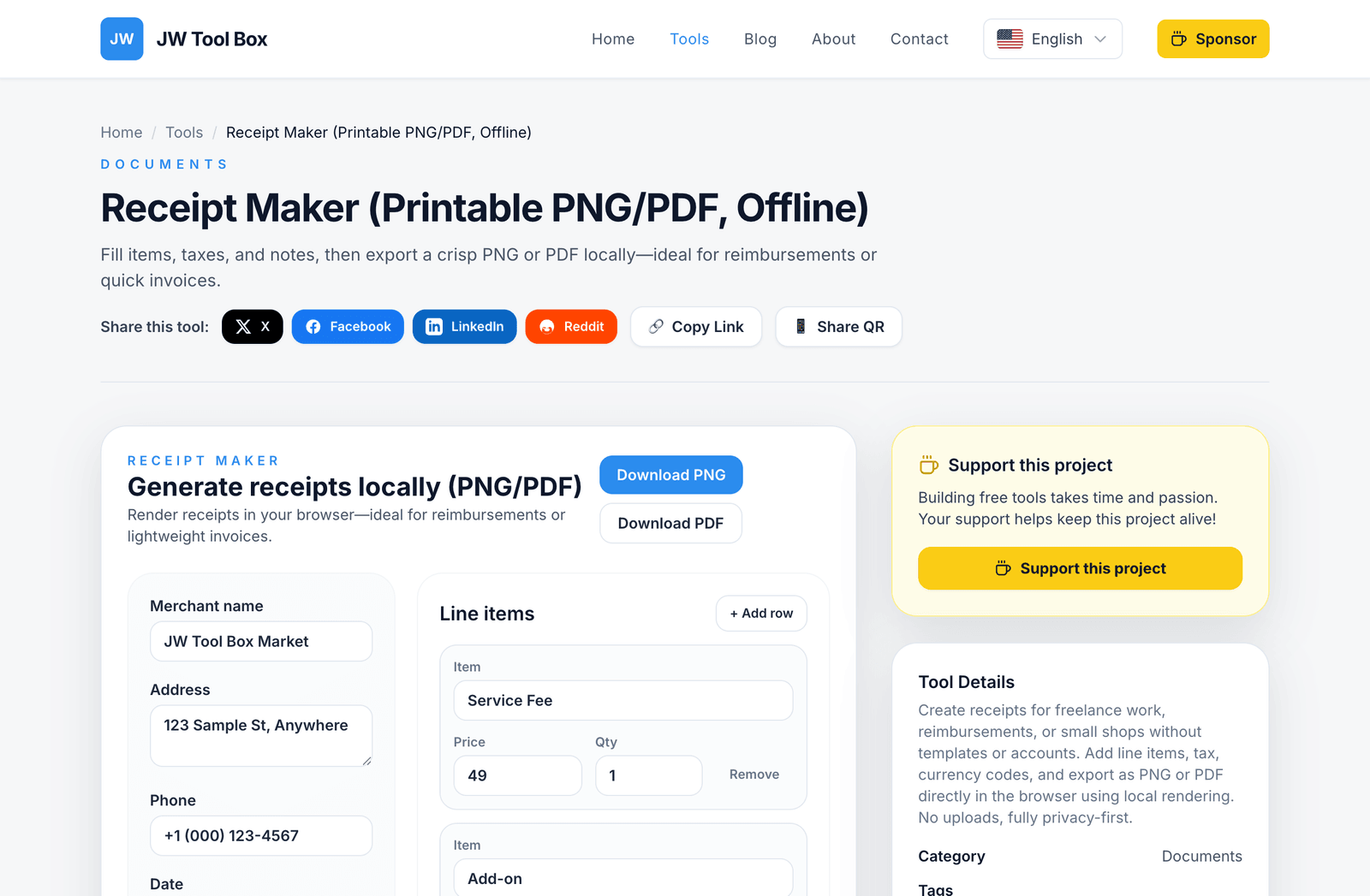
You don't need design software. The JW Tool Box Receipt Maker lets you build a tidy receipt-style record directly in your browser.
- Navigate to the tool: Open the Receipt Maker.
- Enter Merchant Details: Fill in the shop name, address, and phone number exactly as they appear on your card statement or order email.
- Set the Date: Use the real date of the transaction.
- Add Line Items: List what you actually bought. You can add multiple rows, set quantities, and adjust unit prices.
- Configure Tax: Enter the local tax rate (for example, 8.875% in New York City) so the total matches what you paid.
Step 2: Set Currency and Add a Note
To keep the record accurate and easy to audit:
- Currency: Enter the correct ISO code (for example
USD,EUR,GBP). The tool formats symbols like$or€for you. - Footer Message: Add a plain note such as "Replacement record for lost original" so nobody mistakes it for the merchant's own receipt.
Step 3: Export as PNG or PDF
Once the details match your statement:
- Download PNG: Best for sharing via email or messaging apps.
- Download PDF: Best for printing or attaching to an expense report.
The tool generates vector-based PDFs, so the text stays crisp when printed.
Why Use This Tool?
The JW Tool Box Receipt Maker is:
- 100% Free: No hidden costs.
- Watermark-Free: Clean output you can attach to a report.
- Local processing: Receipt details are processed in your browser and are not uploaded to JW Tool Box. The site separately collects page and tool usage information; see the Privacy Policy.
Frequently Asked Questions
Is it legal to recreate a lost receipt?
Documenting a purchase that really happened, and labelling the document as a replacement, is generally acceptable for your own records. Presenting an invented or altered receipt to claim money you did not spend is fraud, whatever tool you use. Follow your employer's expense policy and local tax rules.
Will my employer accept a replacement record?
Policies differ. Many accept a replacement together with a card statement line; some require the merchant's original or duplicate. Check your expense policy before you submit.
Can I change the logo?
No. The tool focuses on a standard, clean receipt format used by many point-of-sale systems. It does not support custom logo uploads, which keeps it simple and fast.
How do I print it on thermal paper?
Export as PDF, then print with a thermal printer if you have one. The high-contrast black-and-white design suits thermal printing.
About the author
JW Tool Box - Editorial and product review team
JW Tool Box publishes hands-on guides tied directly to the site's browser-based tools. Content is updated when browser behavior, platform rules, or product requirements change in ways that affect real workflows. The goal is to provide practical instructions, tested defaults, and trustworthy reference content instead of thin keyword filler.
Related tools
Additional browser-based utilities that are closely related to this workflow.
-
PDF Compressor (Reduce Size, Shrink, Optimize)
Shrink PDF size with browser-only rasterization and quality presets.
-
Image Cropper (PNG/JPEG/WebP, No Upload)
Crop, rotate, and export images locally with social-friendly aspect ratios.
-
Receipt Maker (Printable PNG/PDF, Offline)
Generate clean receipts or lightweight invoices in your browser with custom lines and taxes.